Secretary Uploads
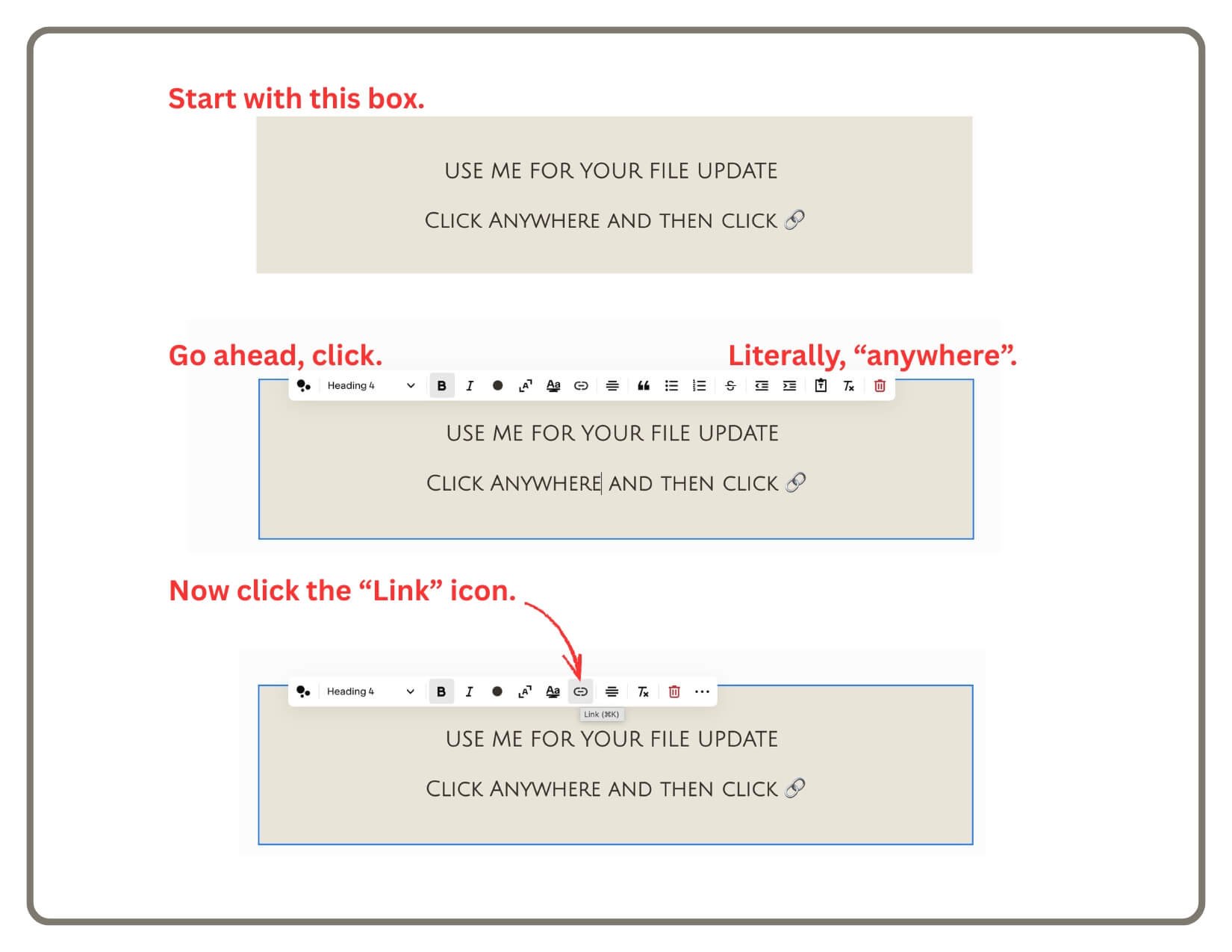
USE ME FOR YOUR FILE UPDATE
CLICK ANYWHERE AND THEN CLICK 🔗
Emailed Instructions:
How to Upload the Weekly Bulletin
Rename your PDF file
It must match this exact format: MM-DD-YY.pdf
Example for December 7th, 2025: 12-07-25.pdf
Note: Use 2 digits for the month, day, and year.
Log in to the Website and go to the "Secretary Uploads" page (in the "Not Linked" menu).
Upload the File
Double-click the text block to edit.
Highlight the words "Upload Here" (or any text).
Click the Link Icon (🔗) in the toolbar.
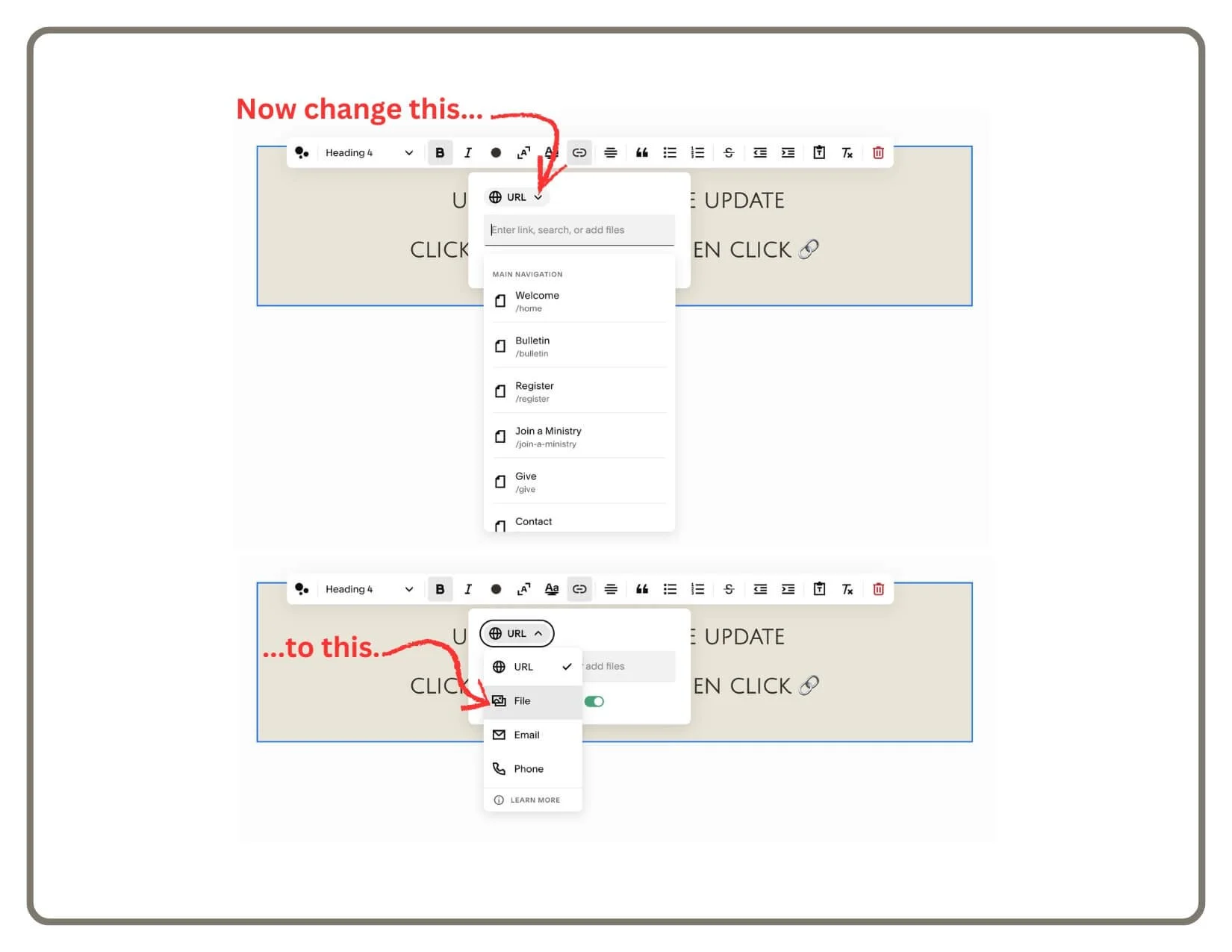
Click the Gear Icon (⚙️).
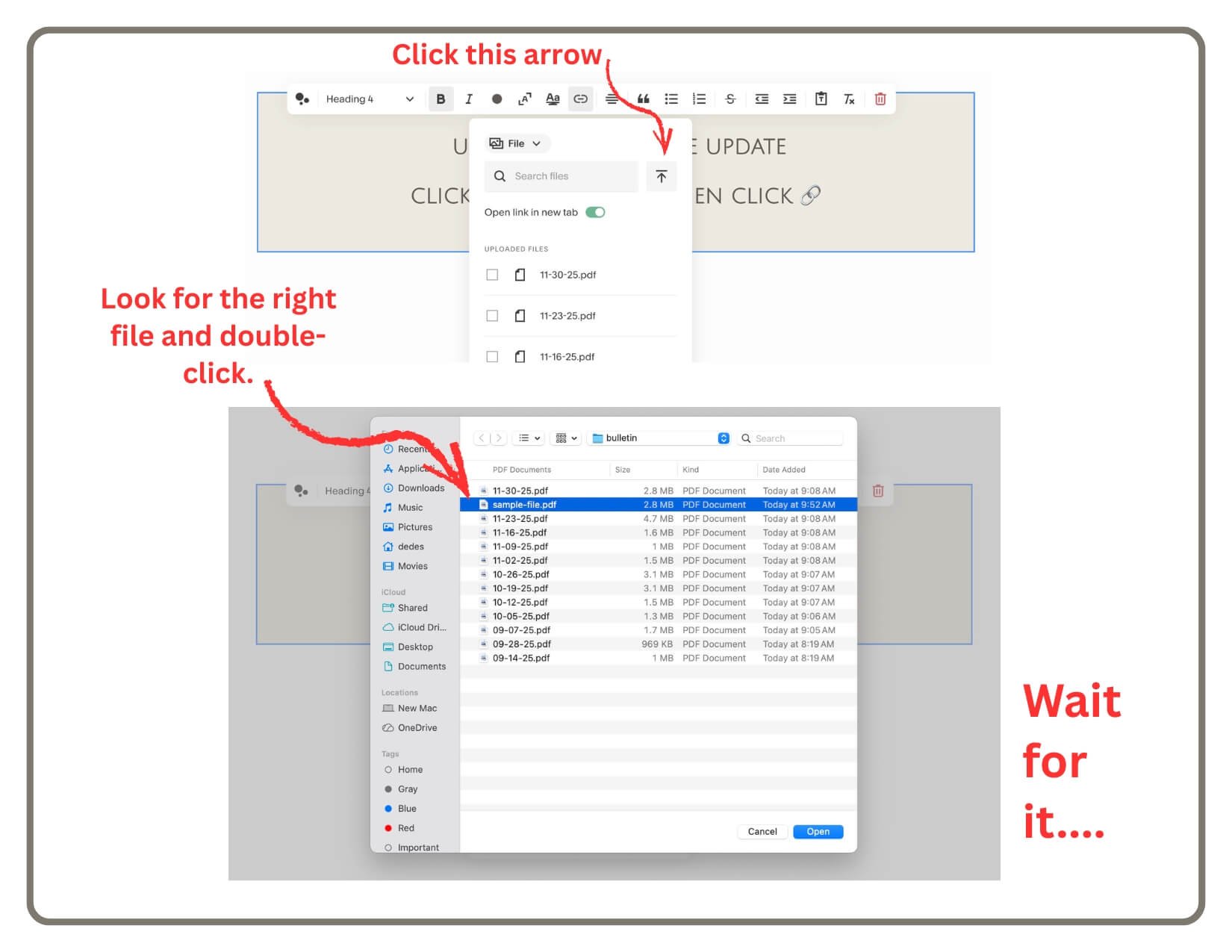
Click File (left menu) -> Upload File.
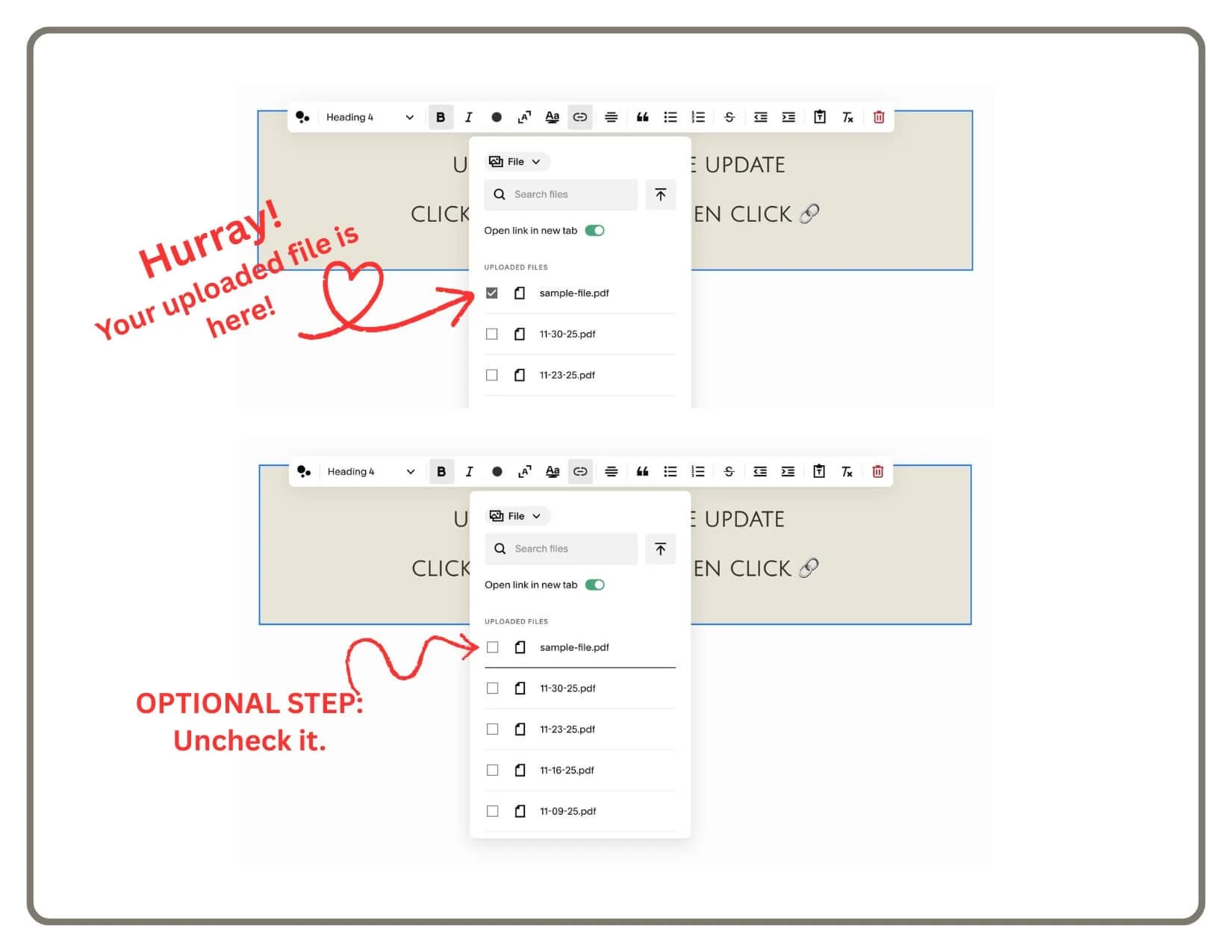
Select your 12-07-25.pdf file.
Wait for the checkmark to appear next to the file name.
Finish
Once the checkmark appears, you are done!
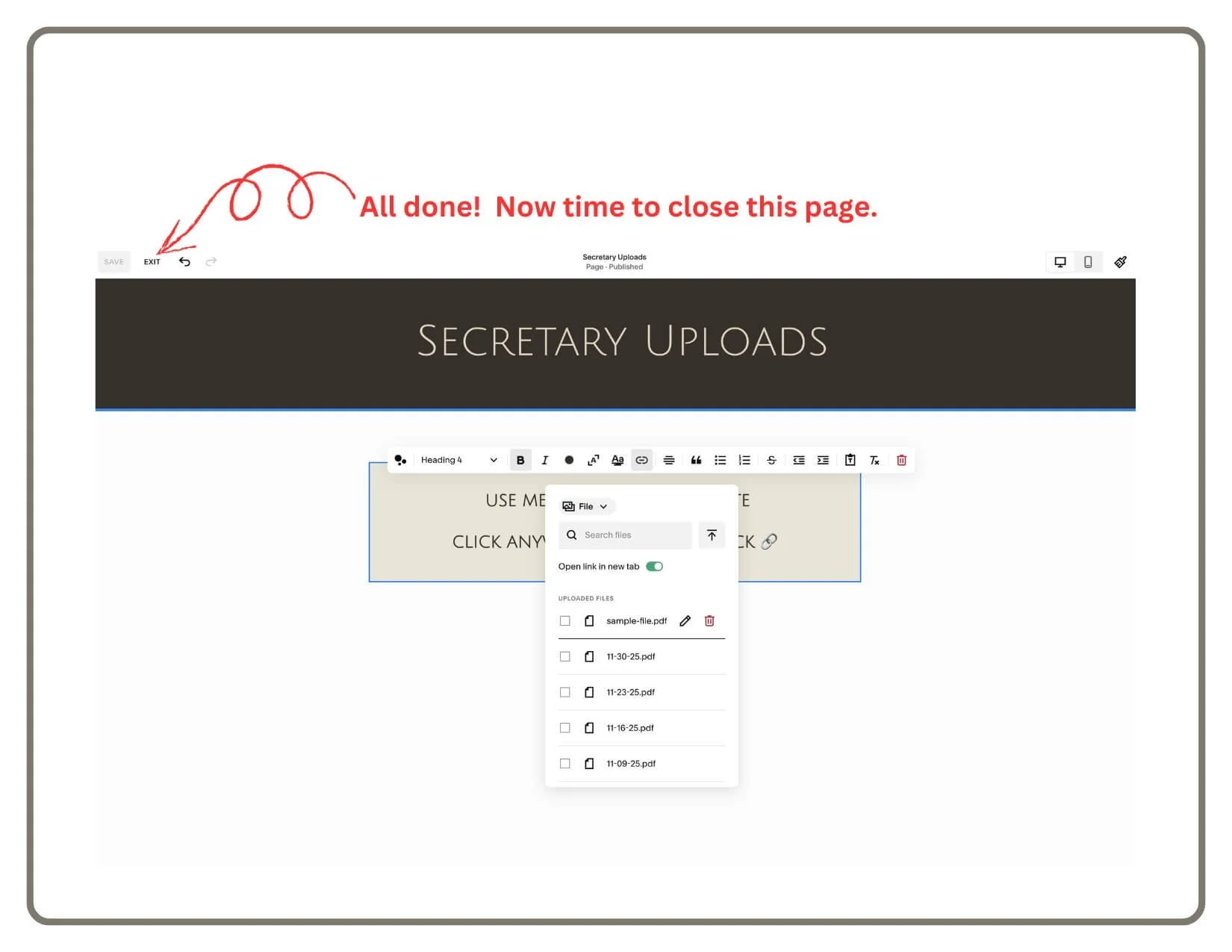
You can click "Cancel" or "Close" on the link menu. You do not actually need to create the link on the page. As long as the file is in the list, the system will find it automatically.
The Bulletin Page will update itself instantly.